Periodic Cell Placements (CellSection)
# Copyright 2026 Helge Gehring, Simon Bilodeau and contributors.
# Licensed under the Apache License, Version 2.0.
# ---
# jupyter:
#   jupytext:
#     text_representation:
#       extension: .py
#       format_name: percent
#       format_version: '1.3'
#   kernelspec:
#     display_name: Python 3
#     language: python
#     name: python3
# ---
Periodic Cell Placements (CellSection)
In addition to continuous layers, a CrossSection can include CellSection entries.
These allow you to repeat a gdswell.Cell (containing arbitrary geometry) periodically
along the path of a waveguide.
This is useful for:
Creating gratings (e.g., Bragg gratings).
Adding periodic anchors or support structures.
Placing decorative elements or alignment markers.
Building complex metamaterials along a path.
from enum import Enum

import sympy

import gdswell as gw
from gdswell.components.generic_path import generic_path
from gdswell.components.straight import straight


class LayerEnum(gw.Layer, Enum):
    WG = (1, 0)
    CLADDING = (2, 0)
    MARKER = (3, 0)
Defining a Repeatable Cell
Let’s create a simple “dot” cell that we’ll use in our cross-sections.
@gw.cell
def dot_cell(size: float = 0.5) -> gw.Cell:
    c = gw.Cell()
    c.add_polygon(
        [
            (-size / 2, -size / 2),
            (size / 2, -size / 2),
            (size / 2, size / 2),
            (-size / 2, size / 2),
        ],
        layer=LayerEnum.WG,
    )
    return c
Basic CellSection
A CellSection is added to a CrossSection via the cell_sections argument.
Key parameters:
cell: The Cell to repeat.
periodicity: Distance between placements.
x_offset_initial: Distance from the start of the path to the first placement.
x_offset_final: Minimum distance to maintain from the end of the path.
y_offset: Transverse offset from the path center.
# A cross-section with dots repeated every 2um, starting 5um from the beginning
xs_dots = gw.CrossSection(
    layer_sections=(gw.LayerSection(name="core", layer=LayerEnum.WG, width=1.0),),
    cell_sections=(
        gw.CellSection(
            name="periodic_dots",
            cell=dot_cell(size=0.3),
            periodicity=2.0,
            x_offset_initial=5.0,
        ),
    ),
)

# Create a straight waveguide
c1 = straight(length=20, cross_section=xs_dots)
c1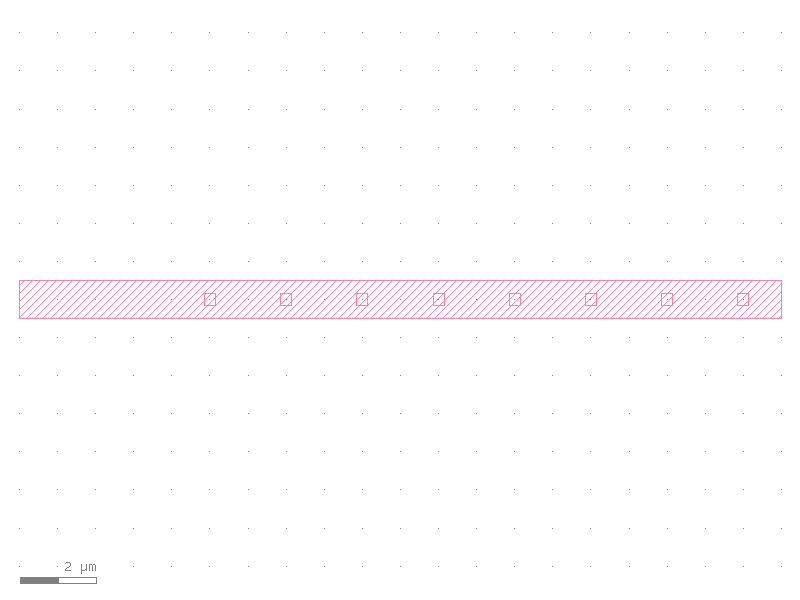
Multiple CellSection entries
You can have multiple CellSection entries in the same CrossSection, for example on different
sides of a waveguide.
xs_double_dots = gw.CrossSection(
    layer_sections=(gw.LayerSection(name="core", layer=LayerEnum.WG, width=1.0),),
    cell_sections=(
        gw.CellSection(
            name="left_dots",
            cell=dot_cell(size=0.4),
            periodicity=3.0,
            y_offset=-2.0,
        ),
        gw.CellSection(
            name="right_dots",
            cell=dot_cell(size=0.4),
            periodicity=3.0,
            y_offset=2.0,
        ),
    ),
)

c2 = straight(length=30, cross_section=xs_double_dots)
c2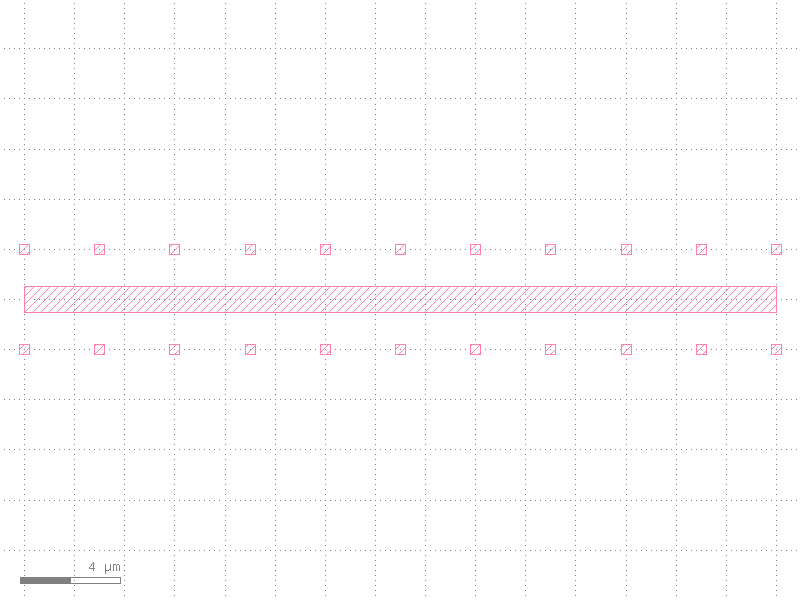
Cell Orientation
gdswell automatically rotates the cells to follow the path tangent.
For Manhattan-style layout, the angle is rounded to the nearest 90-degree increment.
# Create a curved path with periodic markers
xs_markers = gw.CrossSection(
    layer_sections=(gw.LayerSection("core", LayerEnum.WG, width=0.5),),
    cell_sections=(gw.CellSection("marker", cell=dot_cell(0.8), periodicity=4.0, y_offset=1.5),),
)

# Circular L-bend
c3 = generic_path(
    cross_section=xs_markers,
    x_expr=10 * sympy.sin(sympy.pi / 2 * gw.S),
    y_expr=10 * (1 - sympy.cos(sympy.pi / 2 * gw.S)),
    npoints=200,
)
c3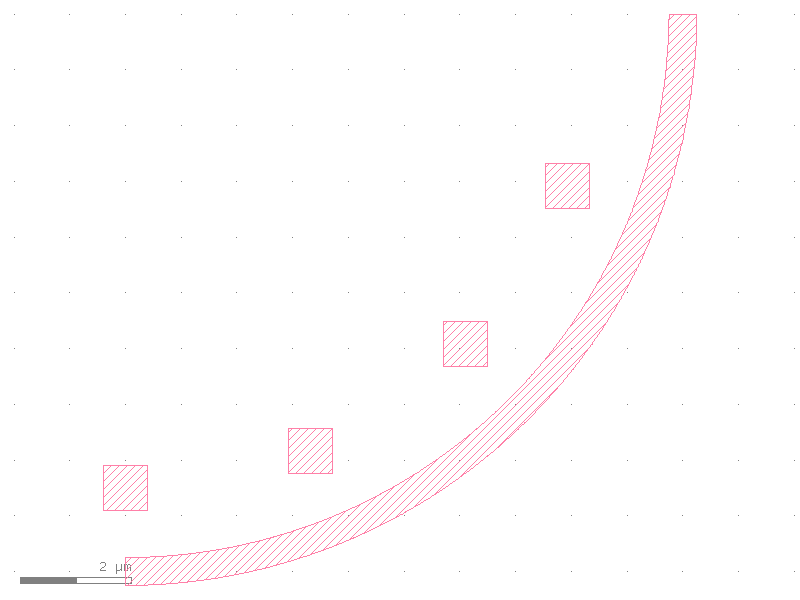
Interactions with Transitions
IMPORTANT: CrossSection.transition() does NOT support cell_sections.
If you attempt to transition between two cross-sections where either has cell_sections,
gdswell will raise a ValueError.
To combine tapers with periodic cells, you should use separate waveguide segments.
try:
    xs1 = gw.CrossSection(layer_sections=(gw.LayerSection("c", LayerEnum.WG, width=1.0),))
    xs_trans = xs1.transition(xs_dots)
except ValueError as e:
    print(f"Caught expected error: {e}")
Caught expected error: CrossSection transition is not supported for sections with cell_sections.
Summary
CellSection provides a powerful way to augment waveguides with periodic features
without manually calculating placement positions. Since they are part of the CrossSection
definition, they move and rotate seamlessly as the path changes.